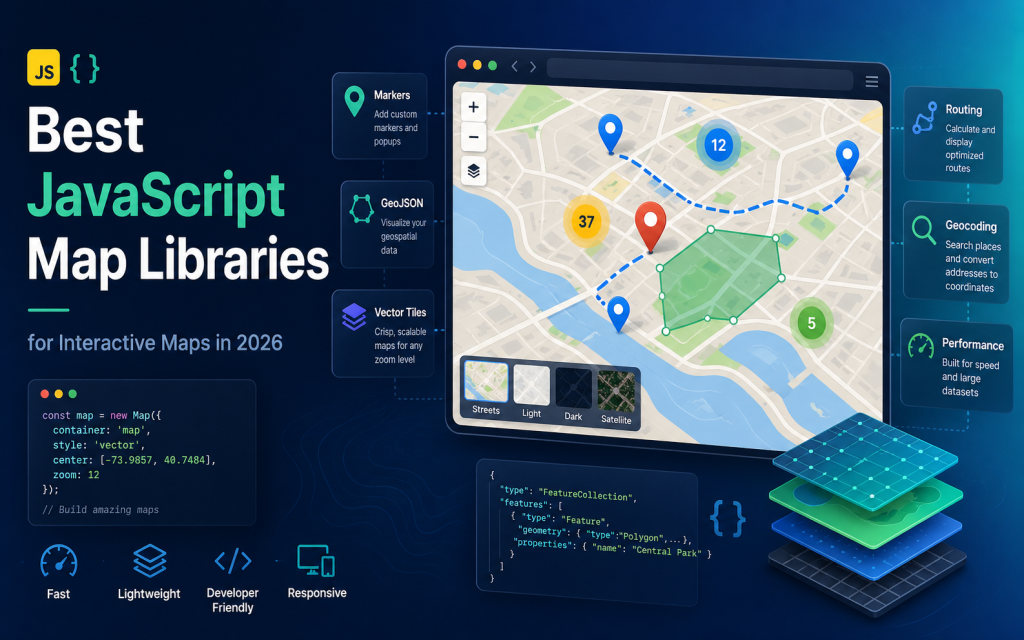
The JavaScript mapping ecosystem in 2026 is richer and more powerful than ever. It’s also more confusing. You’re not just choosing a library to put pins on a map; you’re selecting a foundational technology that will shape your project’s capabilities, performance, and cost. The “best” choice doesn’t exist in a vacuum. It depends entirely on your project’s DNA: its goals, complexity, budget, and the data it needs to handle.
This guide moves beyond generic rankings. We’ll dissect the core categories of tools available today, from the lightweight simplicity of Leaflet to the geospatial power of OpenLayers and the 3D realms of CesiumJS. By the end, you’ll have a clear decision matrix to match your specific task—be it a simple store locator, a custom React dashboard, or a heavy-duty GIS application—with the perfect JavaScript map library.
The 2026 JavaScript Mapping Landscape: More Than Just Pins on a Map
Choosing a map library in 2026 is a strategic decision. The ecosystem has matured into distinct tiers, each optimized for different scenarios. The classic question “Which library is best?” has been replaced by “Which library is best for *my* job?” Your choice hinges on a few key trade-offs: simplicity versus advanced features, open-source freedom versus commercial polish, traditional 2D tile rendering versus modern vector and WebGL engines.
At one end, you have lightweight renderers like Leaflet, perfect for getting a functional, interactive map up in minutes. In the middle, the vector/WebGL powerhouses—Mapbox GL JS and its open-source sibling MapLibre GL JS—enable stunning, custom-designed maps with smooth performance. For complex, data-heavy analytical work, GIS-centric libraries like OpenLayers offer unparalleled control. Commercial suites like the Google Maps JavaScript API provide a familiar, service-rich experience, while specialists like deck.gl and CesiumJS handle massive data visualization and 3D globes, respectively.
Why Your Project’s DNA Decides the Winner
Your project’s requirements immediately narrow the field. Are you adding a store locator to a marketing website? The priority is speed and simplicity, making Leaflet or the Google Maps API strong contenders. Building a custom real-time data dashboard with a unique brand identity? The vector styling and performance of Mapbox GL JS or MapLibre GL JS will likely be your foundation. Developing an internal tool for geospatial analysis that needs to load WMS layers or complex KML files? OpenLayers is purpose-built for this. Creating an immersive 3D visualization of terrain or satellite data? CesiumJS is your only real option.
The following deep dive will connect these project archetypes to their ideal library matches, giving you the context to make an informed, confident choice.
Head-to-Head: Library Deep Dive & Comparison Matrix
Let’s move from theory to specifics. This comparison table provides a high-level scan of the 2026 landscape, followed by detailed analysis of each major player.
| Library | Core Strength | Best For | Learning Curve | Cost Model | React Support | 2026 Relevance |
|---|---|---|---|---|---|---|
| Leaflet | Simplicity & Plugin Ecosystem | Simple interactive maps, quick prototypes, basic markers/popups. | Very Low | Open-Source (Tile costs vary) | Excellent (react-leaflet) | High for foundational tasks. |
| Mapbox GL JS | Custom Vector Styling & Performance | Branded web apps, data viz, smooth interactive vector maps. | Medium | Freemium, costs scale with traffic/features. | Excellent (react-map-gl) | Industry standard for polished vector maps. |
| MapLibre GL JS | Open-Source Vector Engine | Mapbox-like functionality with zero tile/style fees, custom projects. | Medium-High | Open-Source | Excellent (react-maplibre) | Rapidly growing, production-ready. |
| OpenLayers | GIS & Complex Data Formats | Geospatial analysis, WMS/WFS, academic/scientific applications. | High | Open-Source | Good (community wrappers) | Unrivaled for GIS-heavy work. |
| Google Maps JS API | Familiarity & Integrated Services | Apps needing Google Places, Routes, and the standard Google Maps UX. | Low-Medium | Pay-as-you-go, free tier limited. | Good (official library) | Strong for service-driven apps. |
| deck.gl | Large-Scale Data Visualization | Visualizing millions of points (hexagons, arcs, 3D) on top of a base map. | High | Open-Source (MIT) | Integrated | Leading WebGL geospatial viz layer. |
| CesiumJS | 3D Globes & Terrain | Virtual globes, simulations, high-precision 3D cartography. | Very High | Open-Source (Apache 2) with paid Cesium ion services. | Possible (via wrapper) | Dominant in 3D geospatial. |
The Lightweight Champions: Leaflet & The Art of Simplicity
Leaflet’s greatest strength in 2026 remains what it always has been: breathtaking simplicity for basic interactive maps. If your task is “add a map with markers, popups, and tile layers,” Leaflet is often the fastest path to a working solution. Its API is intuitive, its documentation is excellent, and its plugin ecosystem (for clustering, geocoding, drawing, etc.) is massive. For React developers, react-leaflet provides a seamless, hooks-friendly integration.
Is Leaflet still relevant? Absolutely, but within its domain. It is not a vector styling engine. Creating complex, custom-designed vector maps like you see in Mapbox Studio is outside its scope. While it can display GeoJSON, performance can become a bottleneck when handling thousands of dynamic features, a challenge we’ll address in the performance section. Think of Leaflet as the reliable workhorse for foundational web mapping tasks where raw simplicity trumps cutting-edge visual customization.
The Vector & Style Powerhouses: Mapbox GL JS vs. Its Open-Source Twin, MapLibre
Mapbox GL JS revolutionized web maps by moving rendering to the GPU with WebGL, enabling smooth zooming, pitching, and rotating of beautifully styled vector maps. Its value proposition is clear: a polished, designer-friendly platform (Mapbox Studio) paired with a high-performance rendering library. You can create a completely unique map style that feels native to your application.
The primary consideration is cost. Mapbox operates on a freemium model. While generous for many projects, costs can scale with monthly active users (MAUs), map loads, and use of services like geocoding. This leads directly to the rise of MapLibre GL JS. Born from the open-source fork of Mapbox GL JS, MapLibre has matured into a stable, production-ready library in 2026. It maintains high API compatibility but severs the tie to Mapbox’s proprietary services and tiles. The trade-off? You gain complete control and zero tile fees, but you must source your own vector tile infrastructure (e.g., from OpenStreetMap) and manage styles. Choose Mapbox for out-of-the-box polish, robust support, and ease of use. Choose MapLibre for budget-sensitive projects that demand custom vector capabilities without vendor lock-in.
The GIS Workhorse & The Commercial Giant: OpenLayers vs. Google Maps API
OpenLayers is the Swiss Army knife for geospatial applications. If your project involves standard GIS data formats like WMS (Web Map Service), WFS (Web Feature Service), or complex KML, OpenLayers is often the only library that handles them natively and well. It’s a powerhouse for data-rich, analytical applications where Mapbox or Leaflet would require significant workarounds. The learning curve is steeper, and the default aesthetics are more utilitarian, but its capability ceiling is extremely high for GIS tasks.
The Google Maps JavaScript API serves a different master: familiarity and integrated services. Its core strength is providing the instantly recognizable Google Maps interface, coupled with its powerful ecosystem (Places API for search, Directions API for routing). It’s an excellent choice when your application’s value is tightly linked to these services or when end-users expect the standard Google Maps experience. The main constraints are cost control (you must monitor usage closely) and limited design flexibility compared to the vector styling freedom of Mapbox/MapLibre.
The Specialists: deck.gl for Data Visualization & CesiumJS for 3D Globes
For specific advanced use cases, two libraries stand apart. deck.gl is a WebGL-powered framework for visual exploratory data analysis of large datasets. It’s typically used as a layer on top of a Mapbox or MapLibre base map to render hundreds of thousands of data points as hexagons, arcs, 3D buildings, or heatmaps. It’s not a general-purpose mapping library but the go-to tool for geospatial data visualization at scale.
CesiumJS is the undisputed leader for 3D globes and terrain. It’s used for virtual globes, flight simulators, and visualizing geospatial data in true 3D space with precise cartographic projections. Its complexity is significant, but for applications requiring a realistic 3D Earth (not just a tilted 2D map), it has no equal.
Solving the Hard Problems: Performance, Scale & React Integration
Choosing your library is the first step. Making it perform is the next. Let’s tackle common scaling and integration challenges.
Handling Thousands of Markers Without the Lag
The classic performance killer is rendering thousands of DOM elements as markers. The universal solution is clustering. Libraries like leaflet.markercluster group nearby markers at low zoom levels, dramatically reducing the render load. For GL-based libraries (Mapbox, MapLibre), the more performant approach is to avoid DOM markers altogether. Instead, add your data as a GeoJSON source and use a circle or symbol layer for rendering. The GPU handles these as part of the map texture, allowing for tens of thousands of points with smooth interaction. For truly massive datasets (millions of points), consider client-side aggregation into hexbins (using deck.gl) or moving to a server-side strategy that only sends data for the current viewport.
GeoJSON Performance: From Simple Files to Vector Tiles
GeoJSON is the lingua franca of web map data, but large, complex GeoJSON files can bring any library to its knees. The first optimization is simplifying geometries—reducing the number of points in polygons and lines—using tools like Mapshaper or Turf.js’s simplify function.
The professional standard in 2026 for rendering complex vector data is vector tiles. Unlike static image tiles, vector tiles contain the raw geometric data, allowing dynamic styling and crisp rendering at every zoom level. Mapbox GL JS, MapLibre GL JS, and OpenLayers have built-in support for the vector tile format (protobuf). Leaflet can use them via plugins like leaflet.vectorGrid. Moving from a monolithic GeoJSON file to a vector tile source is the single biggest performance upgrade for data-heavy applications.
Mapping in React & Next.js: Avoiding the Hydration Pitfalls
Integrating maps into modern React frameworks requires careful handling. Always use the official or community-maintained React wrappers: react-leaflet for Leaflet and react-map-gl (or react-maplibre) for Mapbox/MapLibre. These libraries manage the imperative map instance within React’s declarative paradigm.
The critical pitfall in Next.js or any server-side rendering (SSR) framework is the window object. Mapping libraries are client-side only and will break during SSR. The solution is dynamic import with SSR disabled.
import dynamic from 'next/dynamic';

const Map = dynamic(() => import('@/components/Map'), {
  ssr: false,
});
Manage the map instance via a React ref, not state, to avoid unnecessary re-renders. Use React context sparingly for values that need to be shared across multiple map components (like a selected feature ID).
The Bottom Line: Your 2026 Decision Checklist
Stop searching for a universal winner. Use this checklist to match your project’s profile to the right tool.
- For a simple, embeddable map on a website or a quick prototype: Start with Leaflet. Its simplicity is unmatched.
- For a custom-designed web application with branded vector maps and a moderate budget: Choose Mapbox GL JS. The developer experience and polish are top-tier.
- For the same custom vector app but with zero tolerance for tile/service costs: Choose MapLibre GL JS. Embrace the open-source stack and manage your own tiles.
- For a data-heavy analytical, scientific, or GIS application: Lean towards OpenLayers. Its support for professional geospatial standards is essential.
- For maximum feature simplicity and leveraging the Google ecosystem (Places, Routes): Use the Google Maps JavaScript API.
- For visualizing massive datasets (100k+ points) as hexbins, arcs, or 3D layers: Layer deck.gl on top of your base map.
- For a true 3D virtual globe with terrain and precise cartography: You need CesiumJS.
The health of the open-source mapping ecosystem, led by MapLibre, is robust in 2026. The trend is clear: vector tiles and WebGL rendering are becoming the standard for high-performance, customizable web maps. Don’t get paralyzed by choice. Pick the library that aligns with your immediate project needs, prototype quickly, and iterate. The best map library is the one that helps you ship your project.